A WhatsApp ban does not always mean the account is gone. Temporary bans often lift on their own, and first-time bans can reverse on appeal.
Recovery follows one correct sequence. Confirm the ban type, stop the behavior that triggered it, then appeal through WhatsApp's official Request a Review channel. A new phone number becomes the fallback, used only after the appeal options are exhausted.
What Does It Actually Mean When Your WhatsApp Account Gets Banned?
A WhatsApp ban blocks a specific phone number from registering or using WhatsApp because the account broke WhatsApp's Terms of Service. A ban differs from a forgotten password, a two-step verification lock, or a server outage. Reinstalling the app clears none of those.
A ban is a deliberate enforcement decision by WhatsApp, so recovery needs a targeted appeal to the WhatsApp review team, not a technical reset. Readers building a clean account from scratch can follow the separate guide on using WhatsApp without a phone number.
WhatsApp Ban Messages and What They Mean
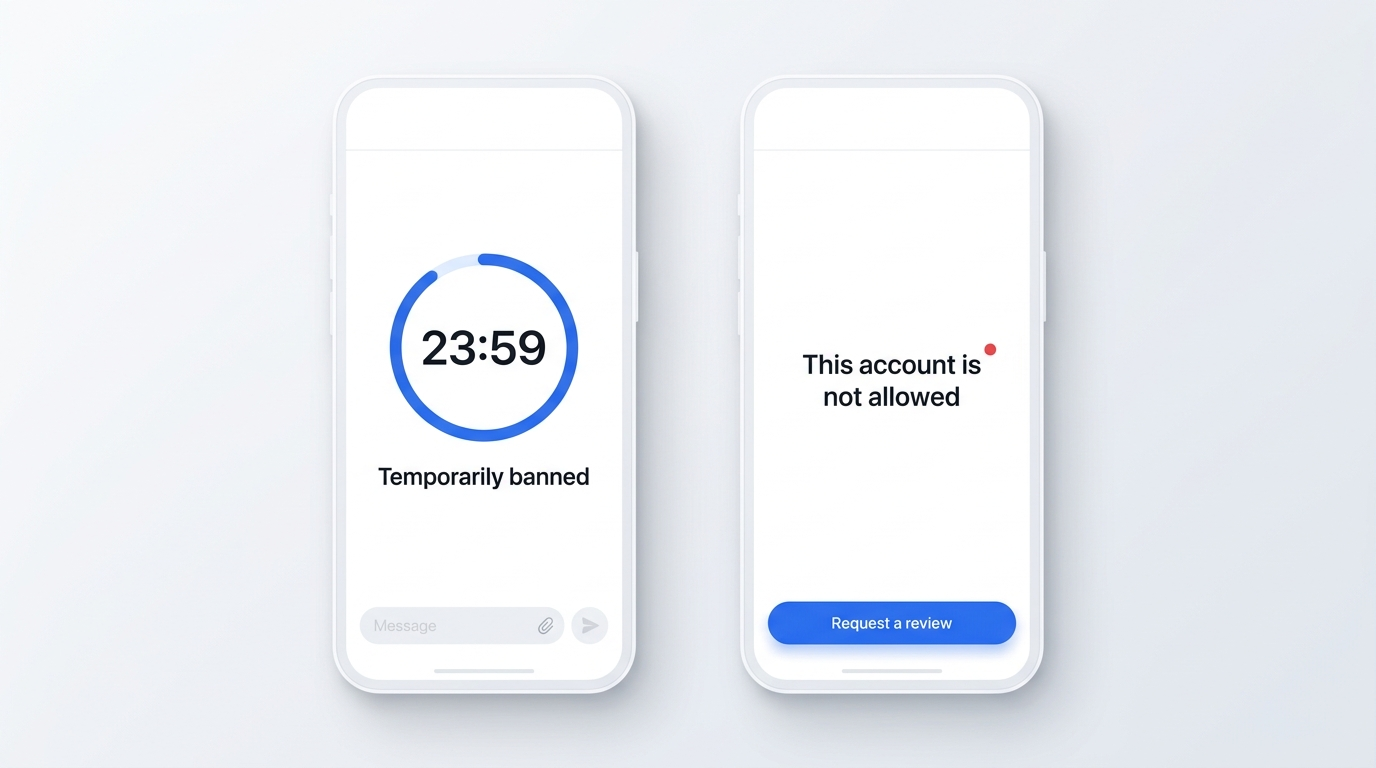
WhatsApp shows two ban screens, and the exact wording signals severity. A temporary ban displays a countdown timer and states that the account is temporarily banned, with the hours remaining shown on screen.
A permanent ban carries no timer. It reads "This account is not allowed to use WhatsApp" or "Your phone number is banned from using WhatsApp", with only a Request a Review option. The countdown, or its absence, tells you which ban type you face.
Why Was Your WhatsApp Account Banned? The Most Common Causes
WhatsApp bans an account when its systems detect a Terms of Service violation, most often spam, unofficial app use, or a spike in user blocks and reports. Pinning down your trigger shapes the appeal.
WhatsApp Ban Reasons (The Full Breakdown)
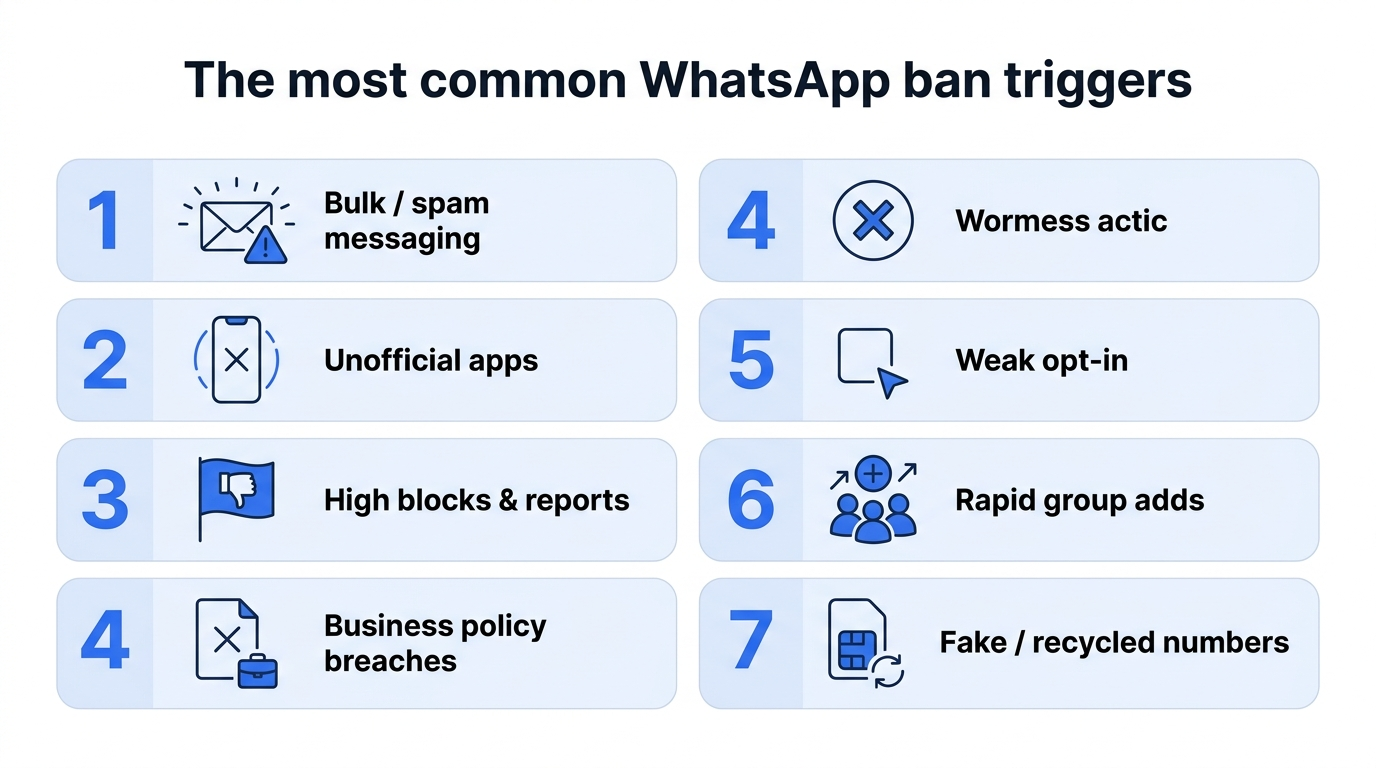
Seven triggers account for most WhatsApp bans:
Bulk or spam messaging sends the same content to many contacts fast, which WhatsApp flags as automated behavior.
Unofficial apps such as GB WhatsApp, WhatsApp Plus, and YoWhatsApp violate the Terms of Service on their own.
Blocks and reports from many recipients push a number toward automatic review and removal.
WhatsApp Business policy breaches cover marketing sent under the wrong template category or without approval.
Weak opt-in practices message people who never agreed to hear from your number.
Rapid group activity adds unknown numbers to groups in quick succession, which reads as spam.
Fake or recycled numbers with prior suspicious history inherit the risk of an earlier owner.
GB WhatsApp is a special case. Using an unofficial client breaks the Terms of Service on its own, regardless of how you message, so WhatsApp detects and bans it, often permanently.
Temporary Ban vs. Permanent Ban: What You're Actually Dealing With
Before you send any appeal, confirm whether your ban is temporary or permanent. The recovery path, the timeline, and the chance of success differ between the two. A new phone number stays a last resort for permanent bans, covered in Step 6.
Ban type
On-screen indicator
Typical duration
Appeal required?
Data lost?
Recovery likelihood
Temporary
Countdown timer visible
Timer length, often ~24h, longer on repeats
No, waiting clears it
No
High
Permanent
No timer, Request a Review only
Indefinite until reversed
Yes
Yes, chats gone
Low to moderate
Temporary bans escalate: each repeat can run longer than the last, and repeated temporary bans can lead to a permanent ban.
How to Confirm Whether Your WhatsApp Number Is Actually Banned
Run a SIM swap test to confirm an account-level ban rather than a device fault. The test takes four steps:
Move the SIM holding the banned number into a second phone.
Install the official WhatsApp on that second phone.
Enter the number and request the one-time verification code.
Watch the result. A ban message on a clean device confirms an account-level ban.
A clean device that still shows the ban confirms the problem is the account, not the device.
How to Tell If Your Ban Is Temporary or Permanent
Read three signals on the ban screen to classify the ban correctly:
Timer present points to a temporary ban that lifts on its own.
No timer, plus a Request a Review button points to a permanent ban.
Message wording confirms it, since "not allowed to use WhatsApp" marks a permanent action.
A visible countdown means you wait. A review button with no timer means you prepare an appeal.
Can You Recover from a Permanent Ban?
Yes, permanent bans can reverse, though the odds depend on your history. WhatsApp restores accounts most often after a first or unintentional violation, backed by clear evidence of a fix and a well-written appeal through the right channel.
Successful appeals are the exception. In April 2026, WhatsApp received 19,189 grievance reports from India, 9,421 of them ban appeals, and actioned only 486 accounts across all categories, according to its official monthly India report. "Actioned" covers every remediation, so the share of appeals that end in a restored account is smaller still. The WhatsApp Support team weighs each case on the reasons you give.
The Critical Warning: Why Switching to a New Number Alone Won't Save You
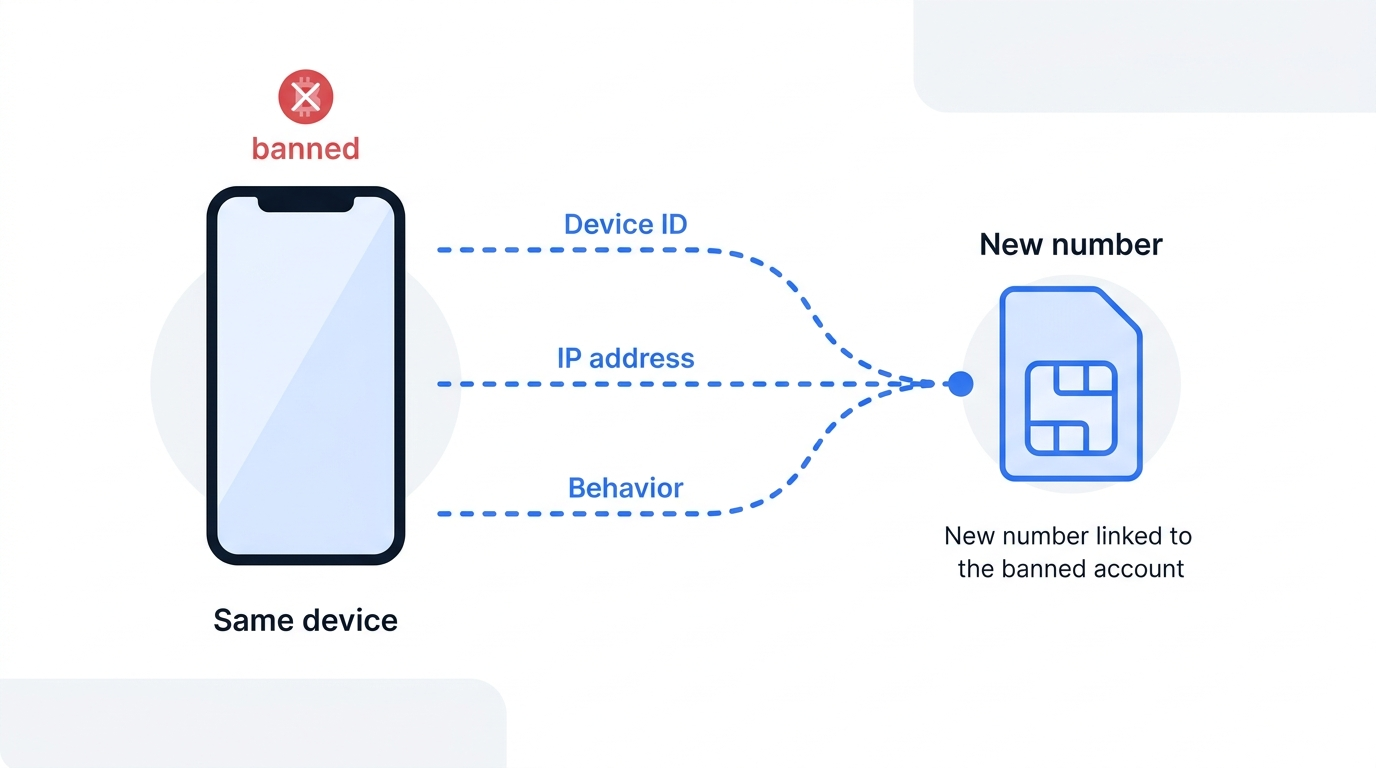
A new SIM on the same phone often leads to a fresh ban within hours. WhatsApp can link accounts through device signals, not the phone number alone: device identifiers, network IP, and behavioral patterns can tie a new registration back to the banned account.
Changing only the number does not change the device identifiers, IP, or behavioral patterns WhatsApp tracks, so a clean number on a flagged device is likely to be banned again.
A safe restart needs a clean number and a clean device together, a point covered in the guide on single-use temporary numbers.
How to Recover a Banned WhatsApp Account: Complete Step-by-Step Guide
Recovery follows a fixed order, and skipping or reshuffling steps lowers your success rate.
Personal accounts, Business App accounts, and Business API accounts share the early steps, then split at the appeal stage.
Step 1: Stop All Violating Activity Immediately
Halt every triggering action before you do anything else. Continuing a violation during a review can end the chance of recovery.
Stop the following at once:
Uninstall unofficial apps like GB WhatsApp and switch to the official WhatsApp from the App Store or Google Play.
End bulk and broadcast messaging to large or unsegmented contact lists.
Disable automation tools and any third-party sender software.
Stop adding unknown numbers to groups in quick succession.
Step 1.5: Should You Wait It Out? The Passive Option for Temporary Bans
For a confirmed temporary ban with a visible timer, a formal appeal is often unnecessary. The ban lifts automatically once the countdown ends, for the length the on-screen timer shows, often around 24 hours. Complete Step 1 regardless, since the same behavior restarts the countdown and lengthens the next ban.
Step 2: Confirm Your Ban and Identify Your Account Type
Run the SIM swap test first, then identify your account type, because each type follows a different appeal route. Personal WhatsApp and WhatsApp Business App appeal in-app. WhatsApp Business API accounts appeal through Business Manager.
Step 3: Use the In-App "Request a Review" Option
The in-app appeal is the primary route for personal accounts and the WhatsApp Business App. It reaches WhatsApp's review team directly.
Follow this path:
Open WhatsApp on the phone holding the banned number.
Tap Request a Review on the ban screen.
Enter the six-digit code WhatsApp sends by SMS to confirm you control the number.
Add a short, honest note explaining why the ban looks like a mistake and what you fixed.
Submit and wait for the in-app notification.
Keep the message to three or four sentences. Do not argue, do not threaten legal action, and do not file several appeals at once.
Step 4: Submit an Appeal via the Official WhatsApp Support Page
When the in-app option is missing, common on permanent bans, the official support page is the next channel. WhatsApp accepts one phone number per appeal, so submit the banned number on its own.
Include your full number in international format, a clear account of the situation, and evidence of the corrective steps you took. Use the confirmed WhatsApp appeal page and read the temporary ban guidance if a timer still shows. Use the templates below for wording.
Step 5: For API Accounts: Work Through Your Business Solution Provider (BSP)
WhatsApp Business API bans follow a separate process through your Business Solution Provider and WhatsApp Business Manager. API enforcement usually warns first, as the Quality Rating slips through green, yellow, then red, though a serious policy violation can restrict an account at once.
Work through these actions:
Sign in to Business Manager and open Business Support Home.
Select the affected WhatsApp Business Account and the listed violation.
Click Request Review, then submit supporting details and opt-in documentation.
Coordinate with your BSP to audit templates and message categories.
Meta usually returns an API decision within 24 to 48 hours, marked as Unchanged or Reversed. Policy violations can be appealed within 90 days of the notice. A BSP-mediated appeal, backed by clean opt-in records, tends to succeed more often than a lone submission.
Step 6: The New Number Strategy: When and How to Do It Safely
Treat a new number as the last resort, used only after the appeal options are exhausted. Waiting at least 30 days first is a sensible guideline, not a WhatsApp rule. A new number is for starting a compliant account, not for resuming the activity that caused the ban. A safe restart follows a few clear steps: factory reset the device or switch phones, connect through a new internet connection, and register a clean number never tied to the banned account.
A fresh, previously unused number from a service like SMSFAST WhatsApp verification matches this need directly. Do not copy the old profile photo, name, or contact list, since a rebuilt clone raises the re-ban risk.
Pre-Submission Checklist: Confirm You're Ready to Appeal
Confirm each item before sending an appeal:
Unofficial apps removed and the official WhatsApp installed.
Bulk messaging stopped and broadcast lists cleared.
Automation tools disabled across every connected service.
Evidence gathered to show the corrective steps you took.
Appeal message checked for a calm tone and a complete account of the fix.
How to Write a Ban Appeal Message That Actually Works
Most appeals fail on tone and content. Reviewers look for a reason to restore an account. Two mistakes commonly cause rejection: a defensive tone that denies everything, and a vague message with no specifics.
The Anatomy of an Effective Appeal Message
Four components carry an effective appeal:
Identification states your full number in international format, for example +1 555 010 0199.
Acknowledgment names the likely trigger honestly, such as an unofficial app or a bulk send.
Correction lists the concrete steps already taken, like uninstalling GB WhatsApp and clearing broadcast lists.
Commitment gives a credible pledge to follow the Terms of Service going forward.
Correction sets a strong appeal apart. A reviewer who sees a documented fix has a clear reason to reverse the ban.
Ready-to-Use Appeal Templates by Situation
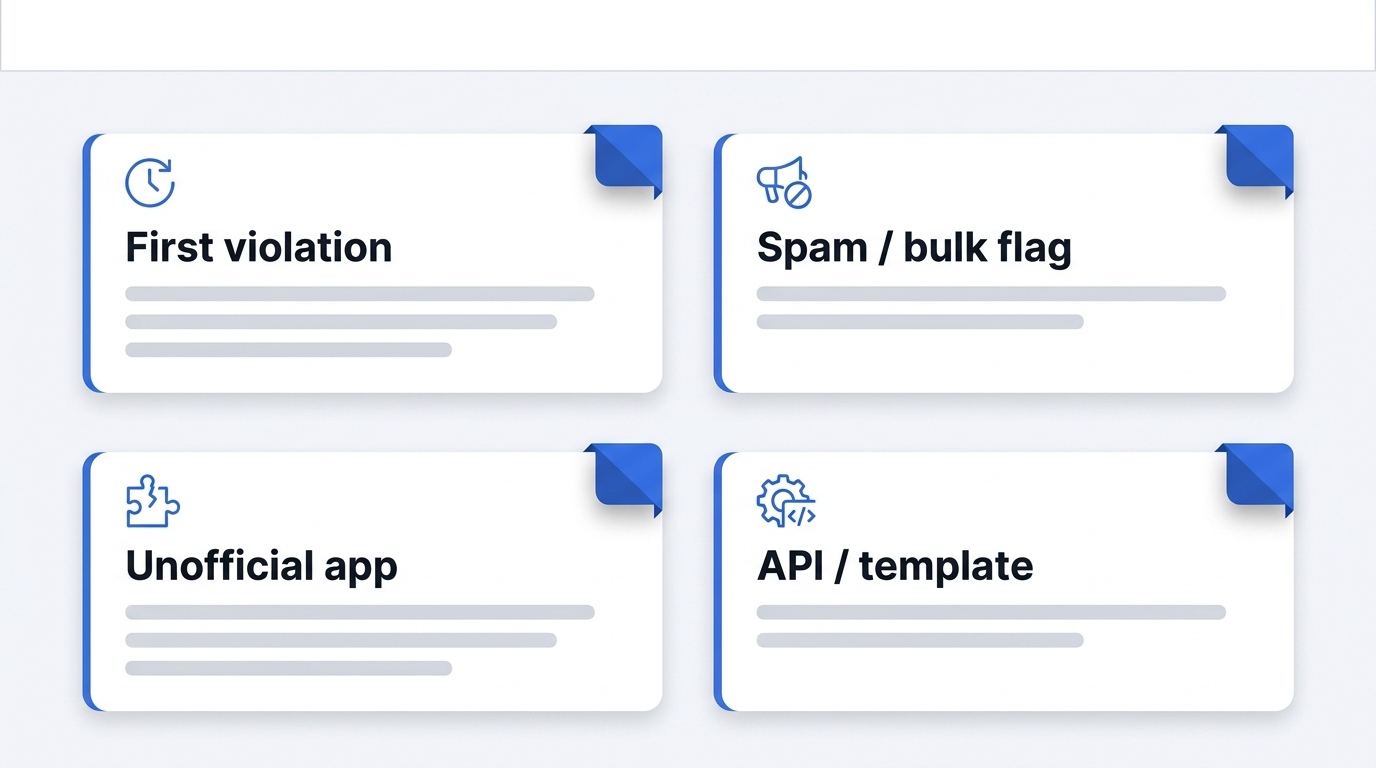
Adapt one of these four templates, then personalize every line:
First violation, cause unknown: "My number +[international format] was banned and I am unsure which action triggered it. I follow WhatsApp's Terms of Service and have reviewed my recent activity. I ask for a review and access restored."
Bulk or spam flag: "My number +[international format] was banned, likely for sending too many messages too quickly. I have stopped all bulk messaging and cleared my broadcast lists. I request a review."
Unofficial app use: "My number +[international format] was banned after I used an unofficial app. I have uninstalled it and installed the official WhatsApp. I commit to the official app and request a review."
API or template violation: "Our WhatsApp Business Account was restricted for a template policy issue. We have corrected the template category and rebuilt our opt-in records. We request a review through Business Manager."
A personalized message performs better than a copied one.
Submitting Your Appeal via Email: Channel-Specific Guidance
WhatsApp routes appeals through the in-app Request a Review, the Contact Us form, and, for API accounts, Business Manager. Direct email is an unofficial fallback with no guaranteed delivery. If you still try email, [email protected] and [email protected] are the addresses most often cited, neither confirmed officially.
Set the subject line as "Request for Account Review, [number in international format]." Email replies come slower than the in-app review.
How Long Does Recovery Take? Realistic Timelines by Ban Type
Recovery timelines span a single day to more than a week, depending on the ban type.
Ban type
Typical recovery time
Appeal required?
Best recovery path
Personal, temporary
Timer length, often ~24h
No
Wait out the countdown
Personal, permanent
24 to 72 hours after appeal
Yes
In-app Request a Review
Business API
24 to 48 hours after appeal
Yes
Business Manager review via BSP
Watch your email and check the in-app status while a review runs. Do not file repeat appeals. It is best to wait at least 30 days before treating a new number as the answer.
Best Practices to Avoid Getting Banned Again
A recovered account can be banned again if old habits return. Four areas keep a number in good standing:
Opt-in management: message only contacts who agreed to hear from your number, and keep records of that consent.
Message frequency control: pace sends and avoid sudden volume spikes that read as spam.
Tool compliance: run the official WhatsApp or the approved Business API, never a modified client.
Policy monitoring: track the Account Quality rating in Meta Business Manager and read policy updates as they land.
A clean new number will still be banned without a change in behavior.
Recovering Your Account
A banned WhatsApp account is often recoverable, though the odds depend on the ban type. Confirm the ban type, stop the trigger, and send one clear, honest appeal through WhatsApp's official Request a Review channel. Reviewers reverse first-time and accidental bans far more often than deliberate or repeat ones.
If the appeal options are exhausted, a clean new number on a clean device is the final step, and the habits above keep it active. Register a previously unused number from SMSFAST, and test your first number at no risk with the $0.25 bonus for subscribing to the SMSFAST Telegram channel.
Frequently Asked Questions
Will WhatsApp ban my new number if I register on the same device?
Often, yes. WhatsApp links accounts through device identifiers and IP, so a new number on a flagged device inherits the ban. A safe restart pairs a clean, unused number with a factory reset or a different phone and a new connection.
Can I get my contacts and chat history back after a ban?
A temporary ban keeps your chats intact once the countdown clears. A permanent ban removes the account and its chat history. A local backup made before the ban can restore chats on a new account, though the banned number itself stays blocked.
If my appeal is rejected, can I appeal again?
Yes, though a second appeal succeeds only with new information. Add fresh evidence of a fix rather than resubmitting the same message. Repeat identical appeals slow the review and rarely change the outcome, so strengthen the case first.
I was banned by mistake, how do I prove that?
State your full number in international format and describe your normal usage clearly through the in-app Request a Review option. WhatsApp reviewers restore accounts flagged by automated error, often within 24 to 72 hours. Concrete detail about your legitimate activity strengthens the case.
Can I use WhatsApp Web while my main account is banned?
No. WhatsApp Web mirrors your primary account, so a ban on the main number blocks every linked device at once. Web access returns only after WhatsApp restores the primary account through a successful appeal.
How long does a WhatsApp temporary ban last?
A temporary ban lasts for the length the on-screen timer shows, often around 24 hours, and lifts automatically when the countdown ends. Repeated temporary bans grow longer and can lead to a permanent ban. Stop the triggering behavior to avoid restarting the timer.
What is the difference between a WhatsApp Business App ban and an API ban?
A Business App ban appeals in-app through Request a Review, like a personal account. An API ban appeals through WhatsApp Business Manager and a Business Solution Provider, usually resolving in 24 to 48 hours. API bans warn first as the Quality Rating slips through green, yellow, then red.
How to create a Viber account without a phone number” is a question thousands of users search for every month—not only for convenience, but for privacy, security, and control over personal data.
With Facebook increasingly requesting phone numbers for verification, many people prefer alternatives that don’t expose their identity or connect their real number to social platforms.