“How to create a Viber account without a phone number” is a question thousands of users search for every month—not only for convenience, but for privacy, security, and control over personal data. Many people want to use Viber on a tablet, a work device, or a secondary phone. Others simply don’t want their real number tied to another online platform.
Viber, however, is built around phone numbers. Unlike email-first apps, it uses a number as the core account identifier. That doesn’t mean you must expose your personal number. It does mean you need some number during setup.
This guide explains what’s actually possible in 2026, why Viber asks for a number, and the safe ways to use the app without linking your primary phone line.
Why Viber Asks for Your Phone Number
Viber’s registration system is number-based by design. The phone number becomes your account ID across devices and platforms.
1. Account security and identity validation
A phone number acts as a stable identifier. Viber uses it to confirm that a real person is creating the account, block automated sign-ups, and reduce spam and abuse. This is especially important for a messaging platform where fake accounts can be used for scams.
2. Verification during setup
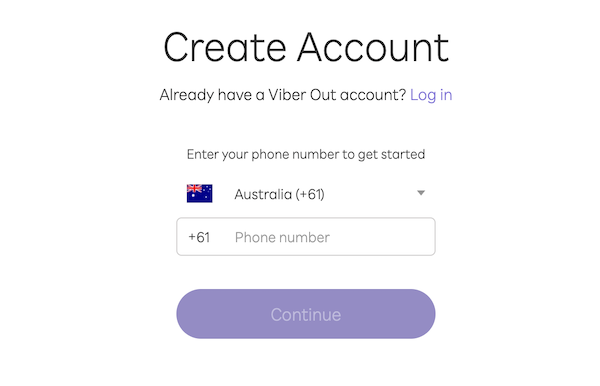
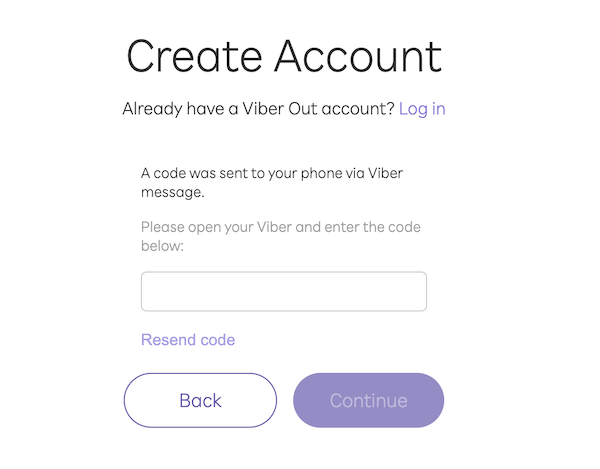
When you install Viber, you’re asked to enter a phone number and then confirm it using a one-time code sent via SMS or voice call. This step cannot be skipped.
3. Account recovery
If you reinstall the app, change devices, or lose access, Viber uses the linked number to verify that you are the rightful owner. Without access to that number, recovering the account becomes difficult or impossible.
In short, Viber doesn’t use phone numbers just for convenience—it uses them as the backbone of its identity system.
Why Users Avoid Linking Their Personal Number
Many people are uncomfortable connecting their real phone number to yet another platform. Common concerns include:
Maintaining separation between different online identities
Phone numbers are powerful identifiers. Once linked, they can connect multiple services, profiles, and datasets to the same person. For privacy-conscious users, that’s reason enough to look for alternatives.
How to Use Viber Without Your Personal Phone Number
You can’t create a Viber account without any number—but you can avoid using your main number. There are two practical approaches:
Use a secondary number that you control
Use a virtual number service such as SMSFAST, understanding its limits
Both methods let you keep your real phone line private.
Option 1: Use a Secondary Number You Control
This is the safest and most reliable way to keep your personal number out of Viber.
You can use:
A prepaid SIM card
An eSIM with a dedicated number
A secondary number provided by your mobile carrier
These are real numbers, owned by you, that can receive SMS or calls.
Step-by-step
Obtain a secondary number This can be a cheap prepaid SIM or an eSIM plan. It doesn’t need to be your main line.
Install Viber Download Viber on your phone or tablet.
Enter the secondary number When prompted, provide the new number instead of your personal one.
Verify the code Receive the SMS or call on that line and enter the code in Viber.
Complete setup Once verified, Viber works normally on Wi-Fi and across devices.
You now have a full Viber account that:
Isn’t linked to your primary number
Can be recovered later
Works long-term
Supports all features
This approach offers the best balance between privacy and stability.
Option 2: Virtual or Temporary Numbers (How Services Like SMSFAST Work)
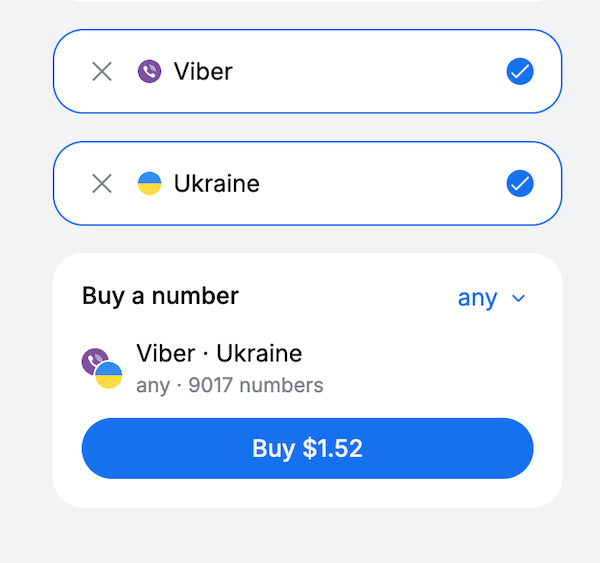
Some users turn to platforms such as SMSFAST that provide temporary or rented phone numbers for receiving verification codes online.
These services don’t remove Viber’s phone requirement. Instead, they act as SMS gateways:
You choose a service and region
The platform assigns a number for a limited time
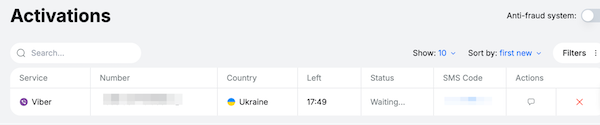
Incoming messages appear in a web dashboard
You copy the code and complete verification
From a technical standpoint, you are borrowing access to a number owned by the provider.
This approach appears attractive because it avoids using a personal number. But Reddit discussions show the trade-off clearly. In broader privacy and travel communities, users often warn that virtual numbers fail for long-term use. For example, in the r/digitalnomad thread “Virtual phone number?”, people explain that these numbers frequently stop working and cannot be used for recovery later.
Real users frequently report that:
Viber simply never delivers the verification code, even after multiple attempts.
These platforms are best understood as temporary access tools, not long-term identity solutions.
Benefits
No personal number is exposed
No SIM card required
Works quickly in many cases
Useful for short-term testing or experiments
Risks and limitations
Aspect
What it means for you
Ownership
You do not own the number
Reuse
The same number may later be assigned to someone else
Recovery
You may not receive future verification codes
Longevity
You may not receive future verification codes
App behavior
Some apps detect and block such numbers
Account safety
Losing the number often means losing the account
Real users frequently report that:
The number works once, then disappears
They can’t log back in after reinstalling
The account becomes inaccessible
The number is later reused by someone else
These platforms are best understood as temporary access tools, not long-term identity solutions.
They are suitable for:
Testing how Viber works
Short-lived accounts
One-time experiments
They are risky for:
Daily communication
Business or client chats
Storing important conversations
Accounts you may need to recover later
A simple rule:
If you don’t control the number, you don’t fully control the account.
Troubleshooting: Common Verification Problems
Problem
What It Means
How to Fix It
No SMS received
Network delay or blocked route
Wait, resend, try call verification
Verification call fails
Voice route unavailable
Retry after a few minutes
“Number already in use”
The number was previously registered
Use a different number
Code expired
Too much time passed
Request a new code
Repeated failures
Temporary security block
Wait and retry later
Tip: Make sure your device’s date, time, and region settings are correct. An incorrect system time can prevent verification.
Conclusion
You can’t create a Viber account without any phone number—but you absolutely can avoid using your personal one.
The safest path is simple: use a prepaid SIM, eSIM, or secondary number you control
This keeps your identity private while preserving full account ownership and recovery.
Virtual number platforms like SMSFAST offer convenience, but they trade permanence for speed. They can be useful for short-term access, yet risky for anything you care about long-term.
Choose the method that matches your priorities:
Privacy and stability → secondary number
Temporary access only → virtual number service
Understanding that trade-off is what prevents unpleasant surprises later.
Frequently Asked Questions
Can I use Viber on Wi-Fi only?
Yes. After activation, Viber works entirely over Wi-Fi. The number is only required for initial verification and recovery.
Can I use Viber on a tablet without a SIM?
Yes. Activate Viber using a phone first, then link the tablet. The tablet itself doesn’t need a SIM.
Can I change my Viber number later?
Yes. Viber allows you to update your number in settings, but the new number must be verified.
Can I use email instead of a phone number?
No. Viber accounts are phone-number-based and do not support email-only registration.
What happens if I lose access to the number?
You may lose access to the account. This is why using a number you control is important for long-term use.
With Facebook increasingly requesting phone numbers for verification, many people prefer alternatives that don’t expose their identity or connect their real number to social platforms.
It is entirely possible to create a Grindr account without a phone number. From temporary SMS services to third-party logins and secondary devices, there are practical ways to protect your identity while still enjoying the app.