Guides
Cash App: Can You Have Multiple Accounts?
Cash App allows one verified account per SSN, not per phone or email. See the real rules, the legitimate business-account path, and what happens if you break policy.
Aug 18, 2026 · 23 min read
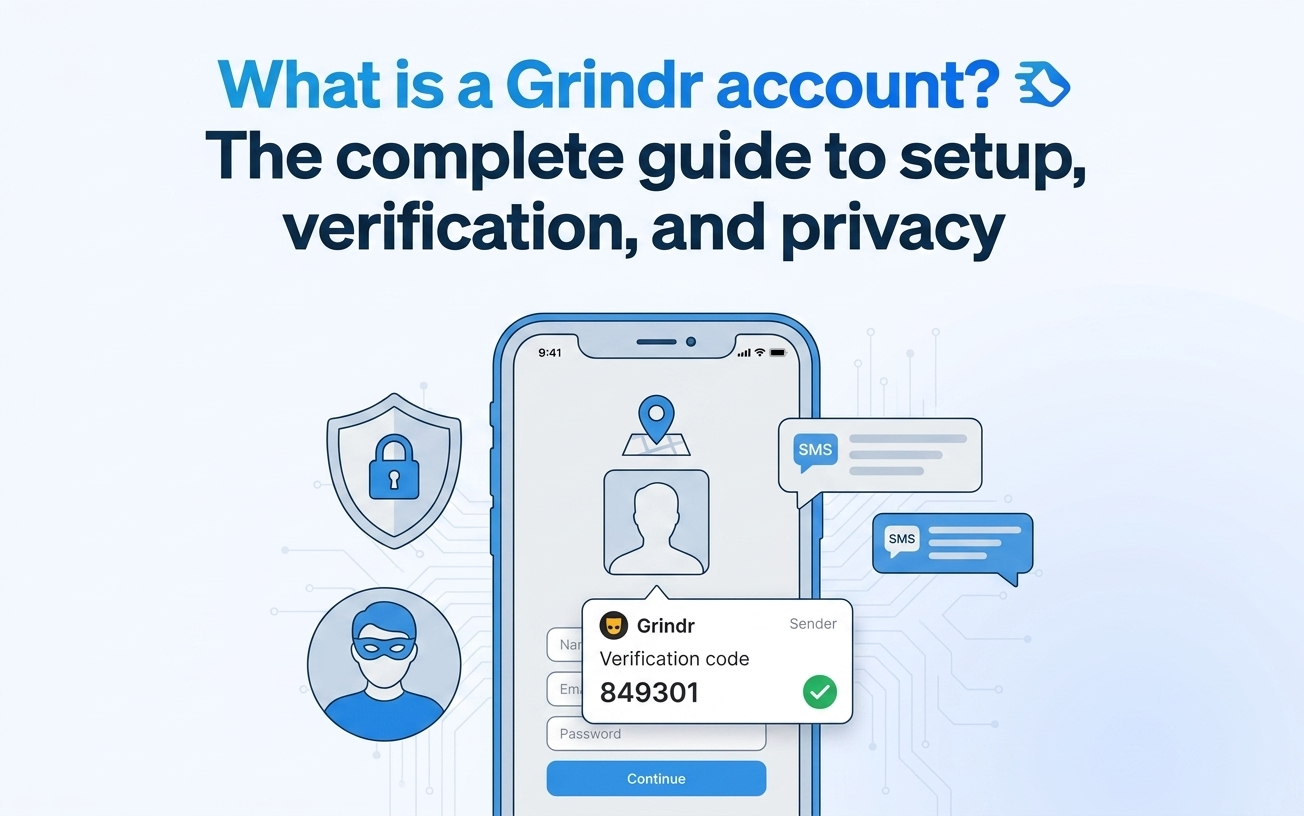
A Grindr account is a location-based Grindr profile that connects members of the LGBTQ+ community with nearby users. Setup takes a few minutes and stores your identity, location, photos, and chat history. Phone verification rules and privacy settings shape how safely the profile works.
A Grindr account is a user profile on Grindr, a geolocation-based social networking app for the LGBTQ+ community. The account stores identity, precise location, photos, chat history, blocks, and activity on your device and Grindr servers.
A phone number attaches to a Grindr account during SMS verification, the one-time code that confirms the account, on the email path. A Grindr profile centers on proximity, and Grindr collects location within a 100m radius of accuracy. Privacy settings like a Discreet App Icon and a PIN protect the account's data.
Key takeaways:
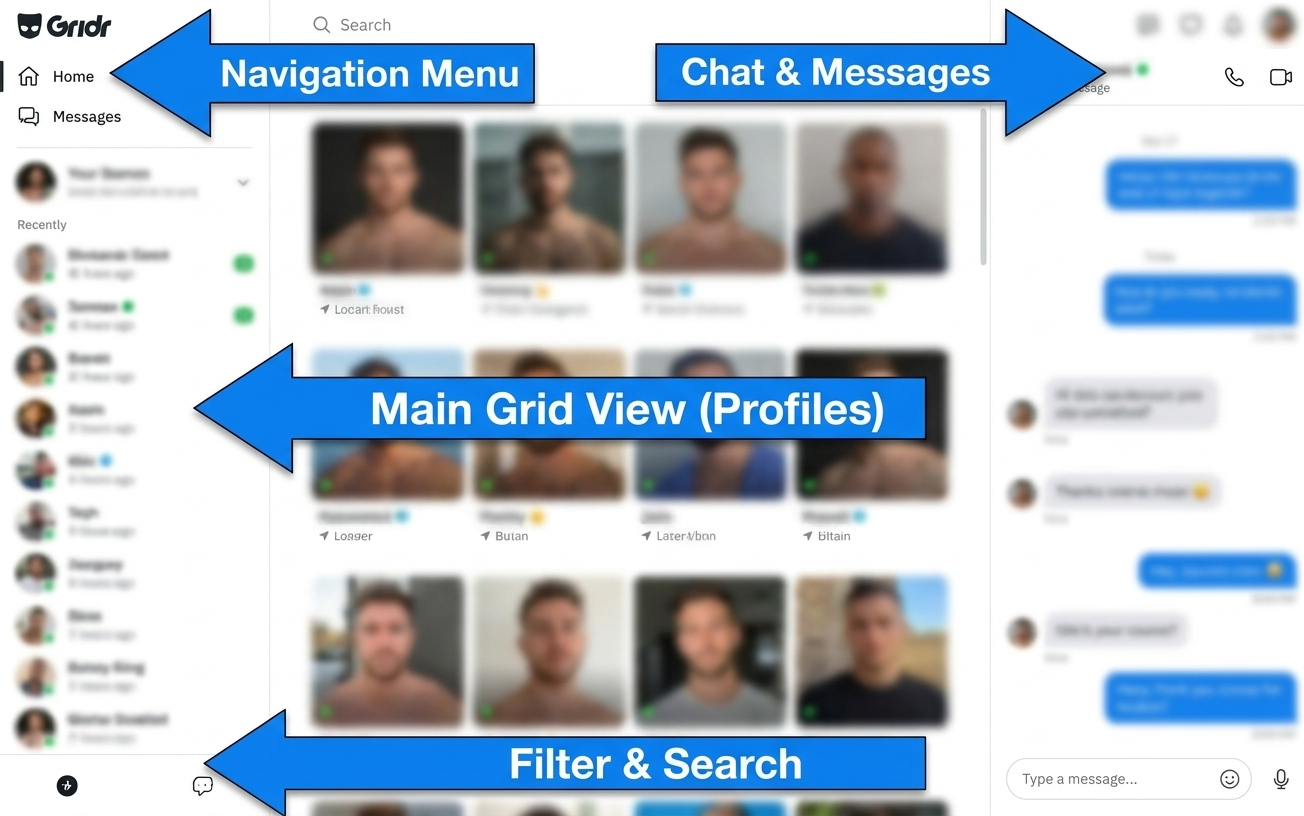
Once verification finishes, a Grindr account enables user interaction through the Grid, messaging, and filters. The Grid, the home page, shows nearby users on open.
A Grindr account gives you five core tools:
Creating a Grindr account takes a few minutes through email and password or a third-party login. Grindr supports account creation with email and password, plus Facebook, Google, and Apple ID. The email path adds one requirement the others skip: SMS verification is mandatory for accounts created with email and password.
The phone number requirement is where privacy-minded users pause, because SMS verification links a real number to the new profile. A virtual phone number lets you create a Grindr account without exposing a personal number on the email path. SMSFAST supplies virtual numbers for receiving SMS codes and is not an officially Grindr-approved method, so confirm compatibility before relying on it.
Subscribe to SMSFAST on Telegram, claim your $0.25 bonus, and verify your Grindr account with a virtual number instead of your own
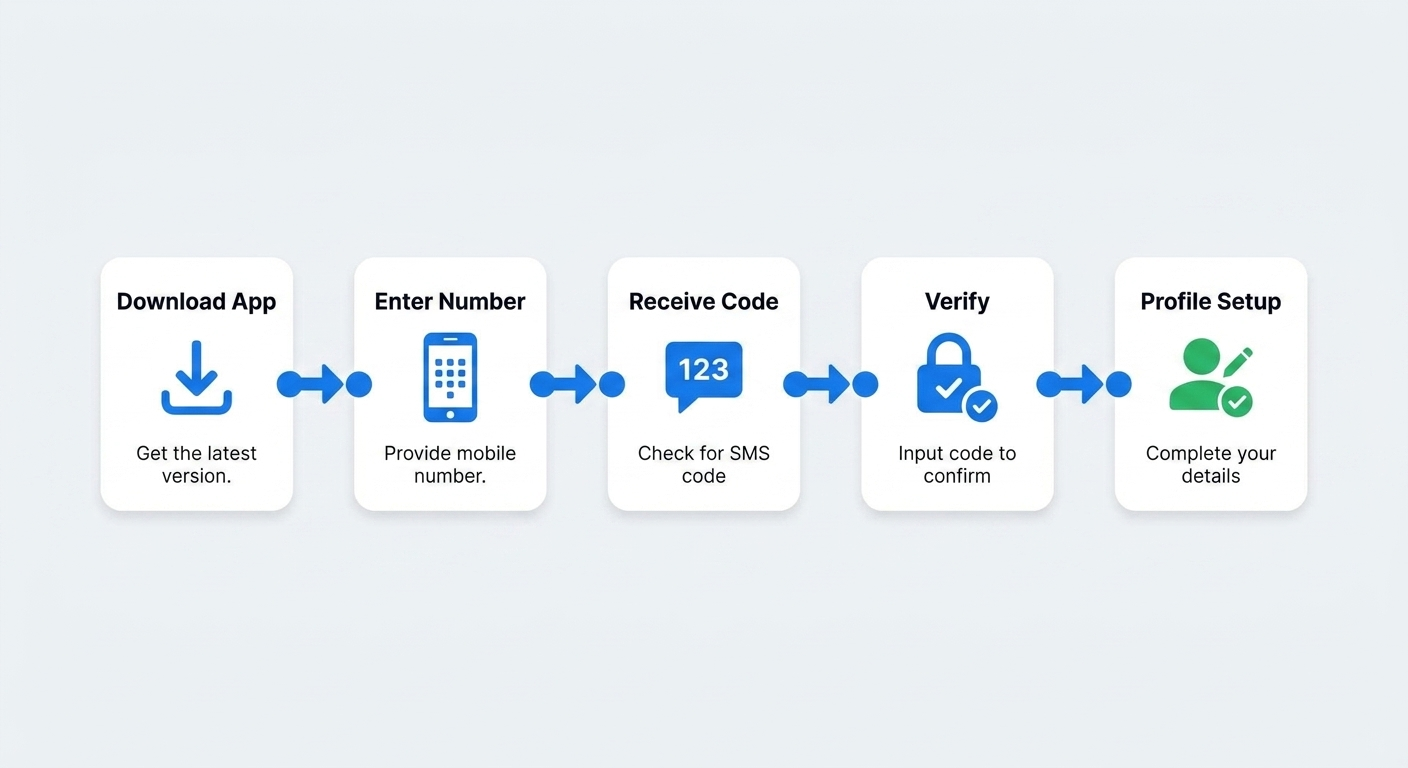
A Grindr account is ready in six steps on the email path. Third-party logins through Apple ID or Google skip the SMS step.
Grindr sign up with a phone number means completing SMS verification, the mandatory step on the email pa). A verification screen asks for a mobile number, and Grindr keeps a 24-hour window for the one-time code to arrive.
A working mobile number matters here. Grindr cannot verify through landlines, certain internet or VoIP (voice-over-internet) services, or some texting apps. If no code arrives, request it again or switch to an Apple ID or Google sign-in. A virtual number from SMSFAST can receive the SMS one-time code, a route Grindr does not officially approve.
A Grindr account needs a phone number only when created with email and password, not through Apple ID or Google. SMS verification works as an anti-spam measure, and Grindr uses the number for verification, not marketing.
The phone number requirement pushes privacy-minded users toward alternatives on the email path. A virtual phone number receives the code without exposing a personal number, which suits users who treat number privacy as account security. SMSFAST supplies such numbers and is not officially Grindr-approved, so confirm compatibility first.
The account works the same on both paths. A Grindr profile created through Google delivers the same Grid, messaging, and filters as one verified by SMS.
Grindr phone number verification moves a new account from a submitted number to an active profile. A phone number completes the account verification within a 24-hour window:
The account keeps the number private. Grindr does not share the number with marketing companies and uses it only for the verification code. Personal information is generally deleted within 28 days after profile deletion, though Grindr keeps a device identifier and limited log data for up to 2 years.
Grindr login with a phone number happens during account creation on the email path, when SMS verification confirms the number. Enter the mobile number with the correct area code, since the country code is usually prefilled on the verification screen.
One number carries a limit worth planning around. A single phone number verifies up to 5 Grindr accounts, after which you delete one account and wait 24 hours before reusing the number.
A phone number for Grindr verification supports account security, not marketing. Grindr uses account and sign-in information for information security, fraud prevention, spam reduction, and user safety. Legitimate virtual number services such as SMSFAST aim to meet the valid-number requirement, though compatibility is not officially approved by Grindr.
You do not always need a personal phone number for Grindr, and privacy concern about sharing one is a legitimate reason to look for options. Account creation takes limited personal information such as an email or phone number, plus a date of birth to confirm you are an adult.
One route skips the number entirely. Accounts created through Apple ID or Google do not require SMS verification. A second route keeps the email path but swaps the number, using a virtual number service such as SMSFAST, which Grindr does not officially approve.
| Registration method | What it requires | Limitations |
| Personal number (email path) | Real mobile number plus SMS verification | Links your personal number to the account |
| Virtual number via SMSFAST (email path) | A virtual number that receives the SMS code | Not officially approved by Grindr; compatibility varies |
| Third-party login (Apple ID or Google) | An Apple ID or Google account, no SMS | Ties the profile to that login |
Grindr without a phone number is possible through third-party login, not by skipping verification on the email path. Accounts created with Apple ID or Google do not require SMS verification. Grindr also states it cannot manually verify a number or work around the SMS process, so a valid number stays mandatory on the email path.
Grindr no phone number sign-up runs first through the supported logins: Facebook, Google, and Apple ID create an account without SMS. A virtual phone number enables Grindr account creation without a personal number on the email path.
SMSFAST describes a workflow where you pick a country and Grindr, copy the temporary number, and receive the one-time code, a method Grindr does not officially approve.
Signing up for Grindr without a personal number starts with the supported no-phone path: Apple ID or Google login skips SMS verification. For the email path, a temporary virtual number is the fallback. On SMSFAST you select Grindr, receive a temporary number, and submit the code, a route Grindr does not officially approve.
Grindr sign up without a phone number works through third-party login, while virtual numbers carry trade-offs. Certain VoIP or internet services cannot pass Grindr verification, so some virtual numbers fail the check. A temporary number handles a one-time code but suits long-term recovery less, and numbers used abusively can be blocked.
No legitimate method removes the SMS requirement on the email path. A virtual number verifies without exposing a personal number, and Apple ID or Google login skips SMS entirely. Grindr's Terms of Service state that account violations can lead to suspension and loss of access.
A phone number can support verification legitimately or be misused. SMSFAST, an identifiable virtual number service, protects a personal number during email sign-up, unlike an anonymous source, though Grindr does not officially approve it. Use of virtual numbers must comply with applicable platform terms of service and local regulations.
Identity rules stay strict, and impersonating a minor leads to a permanent ban.
Getting a Grindr code without a personal number is a common search goal, and the widely discussed approaches carry documented risks. VoIP numbers and temporary-number services are the common approaches, but Grindr states that certain VoIP and internet services and some texting apps cannot be used for verification.
Number misuse adds a second risk. Grindr warns that phone numbers used fraudulently or abusively during verification can be blocked on the platform. SMSFAST is an identifiable service, unlike an anonymous number source, though Grindr does not officially approve it.
An unverified number from an anonymous source invites both account and privacy problems. Grindr warns that bad actors may use someone else's number to register or verify accounts, which can lead to that number being blocked and tied to fraudulent accounts.
Grindr also runs active anti-fraud systems. Automated moderation, including machine-learning models, and a 24/7 moderation team find and remove fake accounts and spam. As a named virtual number service, SMSFAST differs from unverified number sources, though Grindr does not officially approve it.
Using Grindr anonymously relies on built-in privacy controls, and account rules set the limits. Privacy settings protect Grindr account user data through a Discreet App Icon, a PIN, and the Security and Privacy menu.
A virtual number adds a registration-level layer, keeping a real number off the account, though Grindr does not officially approve this route. On Grindr, privacy is a legitimate reason to use these controls. Privacy settings enable anonymous usage of a Grindr account.
Several confirmed privacy settings raise anonymity on a Grindr account. Distance hiding still lets the app sort profiles by relative distance, so others may estimate approximate location.
A Grindr account supports these privacy measures:
Multiple Grindr accounts sit inside strict usage terms. Grindr's legal terms set accounts for personal, individual use only and prohibit using someone else's account or buying, selling, renting, or transferring account access. Available Grindr documentation states no explicit numeric cap on accounts per user.
Separate virtual numbers can support users who manage more than one registration on the email path, subject to Grindr compatibility. Running multiple accounts for promotional purposes is not an officially endorsed use and carries policy risk.
Two Grindr accounts on one phone are technically possible, though Grindr offers no native multi-account support. You can reach two accounts using a built-in dual-app feature or a cloning app. A second virtual number can support a second registration without buying another SIM card, subject to compatibility.
A Grindr account is quick to create and stores your identity, location, photos, and chats. SMS verification is mandatory on the email path and skipped by Apple ID or Google sign-ins. Compliant methods beat risky workarounds, and Profile Hide and a PIN protect the account.
A Grindr account is a location-based profile on Grindr, a geolocation social app for the LGBTQ+ community. The account stores identity, location, photos, and chat history on your device and Grindr servers. It shows nearby users and collects location within a 100m radius of accuracy.
You create a Grindr account by downloading the app, choosing email or a third-party login, confirming your date of birth, completing SMS verification on the email path, and filling in your profile. Apple ID and Google sign-ins skip SMS verification.
Making a Grindr account takes limited personal information: an email or phone number, plus a date of birth to confirm you are an adult. Email and password accounts also complete SMS verification, while Apple ID or Google logins do not.
A phone number is mandatory on the email and password path, where SMS verification applies. Accounts created through Apple ID or Google skip SMS verification. A virtual number can receive the code, subject to Grindr compatibility.
You can create a Grindr account without a phone number by signing in with Apple ID or Google, which skip SMS verification. On the email path a virtual number is a fallback, though it is not officially approved by Grindr and compatibility varies.
You can raise your privacy on Grindr using a Discreet App Icon, a PIN, Profile Hide, and Incognito mode in Grindr Unlimited. Hiding distance still lets other users estimate your approximate location, so full anonymity is not achievable on the app.
Grindr account registration takes an email or phone number and a date of birth to confirm adult age. The email path adds SMS verification. Grindr uses a verification number only for the code, not for marketing.
A new Grindr account can stall when a number hits the 5-account verification limit, which requires you to delete one account and wait 24 hours. Landlines and certain VoIP or internet services also cannot receive the code.
More than one Grindr account is possible, and available Grindr documentation states no explicit numeric cap, though accounts are for personal, individual use only. One number verifies up to 5 accounts before a 24-hour wait.
You can delete a Grindr account, after which Grindr generally removes personal information within 28 days. Grindr keeps a device identifier and limited log data for up to 2 years after deletion, so removal is not fully immediate.
Cash App allows one verified account per SSN, not per phone or email. See the real rules, the legitimate business-account path, and what happens if you break policy.
SMS or email verification code missing? See the exact fixes for iPhone, Android, WhatsApp, Telegram, Google, and 10+ other platforms, including VPN and regional blocks.