Guides
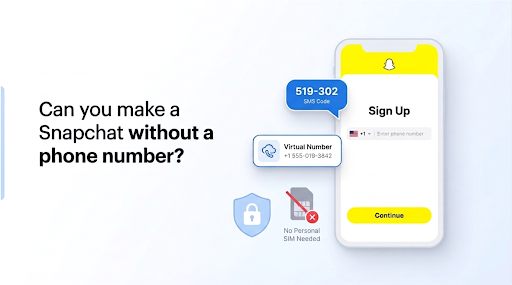
Can you make a Snapchat without a phone number?
Snapchat supports email-only signup, and a virtual number catches the code so your real number stays private. Both methods, step by step.
Oct 11, 2026 · 15 min read
You can create a TikTok account without a phone number. TikTok accepts an email address, a Google account, an Apple ID, or a Facebook login at sign-up, so your personal number stays optional. A phone number drops one data point, yet TikTok still records device and usage data, so skipping it makes your account more private rather than anonymous. Every method below carries verified steps and honest limits.
No. TikTok treats a phone number as one verification option, not a rule. A new TikTok account needs authentication, and a number is only one way to pass it. The sign-up screen opens an account with an email address, a Google account, an Apple ID, or a Facebook login.
TikTok shows phone verification first, and a linked number helps screen new accounts. That prominence misleads first-time users. The options also vary by region, so your screen depends on your country and app version. TikTok's Terms of Service still treat email as a near-universal alternative.
True anonymity on a TikTok account is not realistic. A missing phone number removes a single identifier, yet TikTok keeps collecting device and usage data either way. TikTok's privacy policy lists device IDs, IP address, location from your SIM or network, and detailed usage records.
Your sign-up method changes little here. An IP address on its own points to your country, region, approximate city, and internet provider, so the network already reveals your rough location. Anonymity and privacy overlap, yet they differ: a missing number helps privacy, while true anonymity stays out of reach on a large social media platform.
Even without a linked phone number, TikTok can still record:
Five methods cover almost every situation, and their privacy, anonymity, and reliability differ. Email sign-up stays the steady baseline. A virtual number helps when a platform insists on an SMS code. Google, Apple, or Facebook skips the number through an existing login.
One trusted contact's number covers a single code, and the regional workaround sits last, with real risks.
Email sign-up creates a TikTok account in six steps, with no SIM involved. TikTok sends a confirmation code to your inbox. Email authentication replaces the SMS step.
A dedicated or alias email separates your main identity from the account, and a fresh Gmail or a mail alias works well. Labels vary by app version.
A virtual phone number can create a TikTok account by catching the SMS code online, so your personal SIM stays out of it. People use it to pursue more privacy, though it cannot deliver full anonymity, and TikTok rejects shared lines.
Free temporary numbers and paid private numbers behave differently:
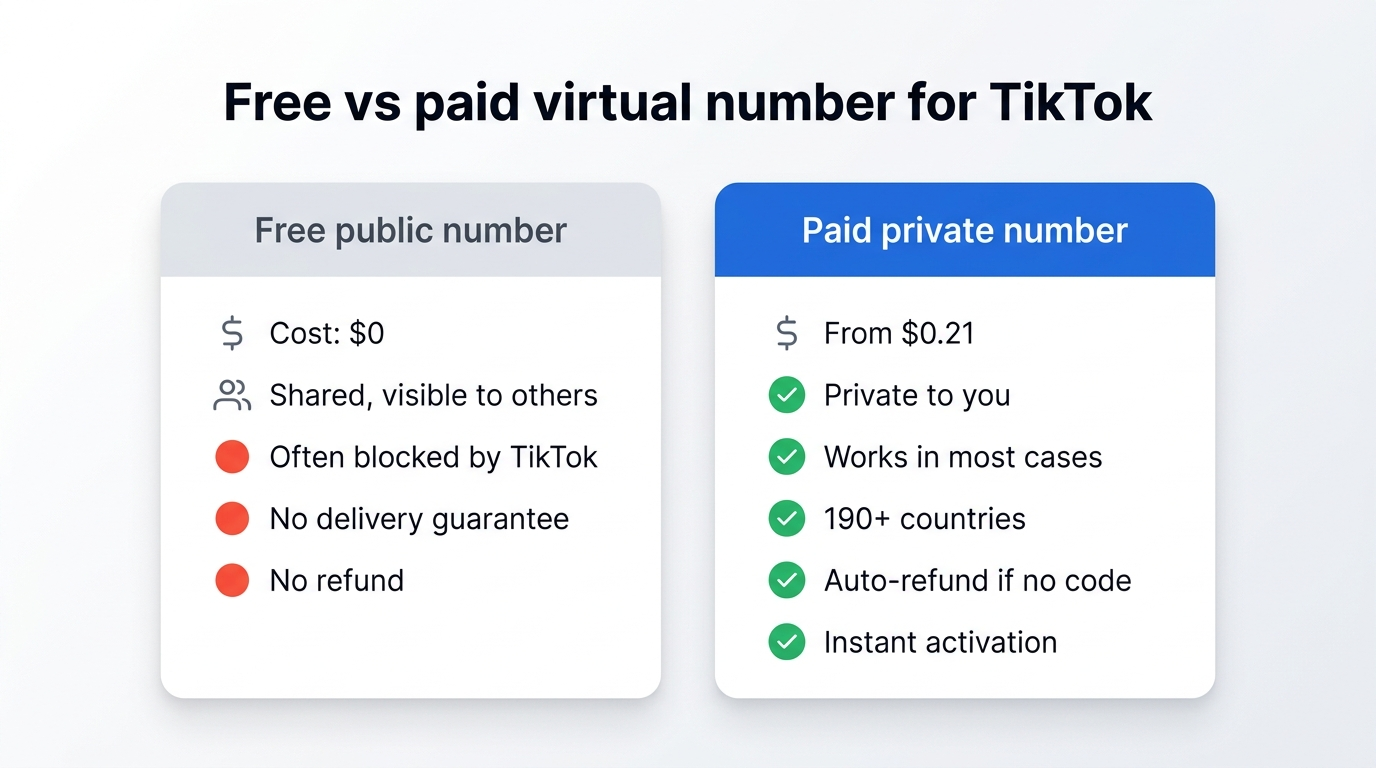
A paid provider such as SMSFAST sells a private virtual number for TikTok that catches the code in your dashboard. For the background, read what a virtual phone number is. If TikTok rejects a number, see the troubleshooting steps below.
Three providers skip the number entirely: a Google account, an Apple ID, or a Facebook login. TikTok pulls the verified identity from that provider, so the sign-up finishes in a couple of taps.
Apple's Hide My Email adds privacy by generating a random address that forwards to your real inbox. Its exact behaviour inside TikTok's flow is not confirmed on an official page. Weigh one trade-off: linking a primary social account joins your TikTok activity to that provider's profile, which offsets part of the privacy and anonymity you gained. Google, Apple, and Facebook are the confirmed providers here.
A trusted person's phone number, used with clear consent, can carry the one-time code while you set up the account. Add another login method first, then unlink the borrowed number to keep the account private to you.
Once an email or third-party login sits on the account, open TikTok's Settings and privacy, find the phone-number entry under account information, and remove it. TikTok drops a number only after a second login method stays active. Labels vary by version. Never use someone's number without asking first.
Some guides suggest a VPN to reach another region's sign-up flow. The privacy and anonymity goals behind this route are understandable, yet it stays a last resort rather than a recommended one.
No reliable source confirms a separate regional TikTok with username-and-password-only registration, so the central promise behind this method stays unverified.
A second issue sits on top. TikTok's Terms of Service restrict circumventing its access and security controls, and a VPN used to get around regional access can breach those terms. The email and third-party methods protect your privacy without that exposure.
People search for how to make an anonymous TikTok account, yet full anonymity is not realistic, because the platform records device and network data whatever sign-up you choose. You can still make the account far more private by tightening the settings that expose you. Work through this checklist after you register.
Each step cuts a specific exposure rather than hiding you completely. Together they move the account from "my real identity" toward "a profile that reveals little." These controls sit across TikTok's Settings and privacy menu, under both privacy and ads sections.
[VISUAL: screenshot set: TikTok privacy settings showing contact sync, private account, and ads personalisation toggles, no real data]
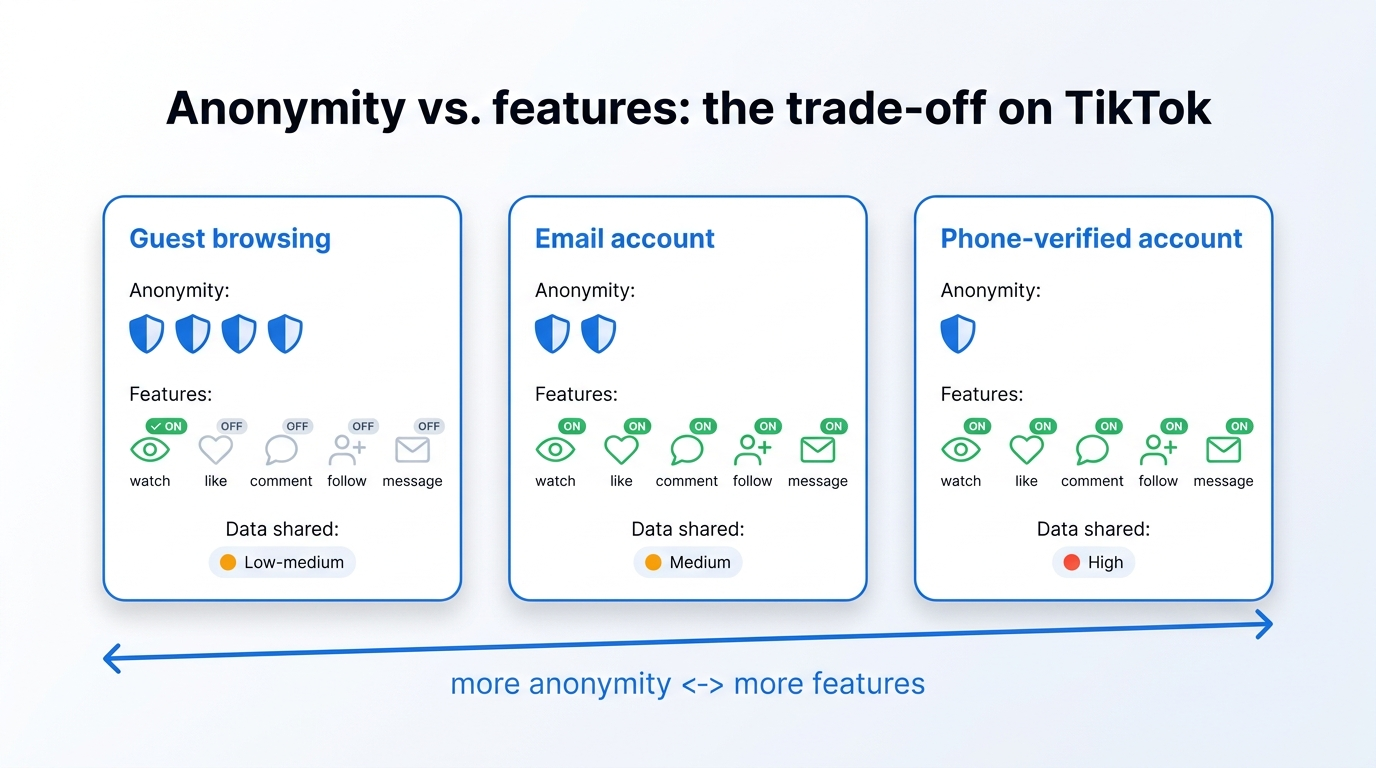
Yes, within limits. TikTok lets you watch public videos without an account through guest access, and TikTok's Help Center describes the browse-as-guest option. A private browser tab is a separate route, and it still meets TikTok's login prompt.
Guest mode and a private browser tab give limited anonymity. Here is what each one allows.
What you can do
What you cannot do
A private tab hides your history from others on the device. It does not hide you from TikTok, so guest browsing offers less anonymity than it seems.
A rejected sign-up usually traces to three causes: a blocked email, a missing code, or a number TikTok will not accept. Work these fixes in order to restore authentication, starting with the official ones.
Let the first code arrive before you request another. Repeated requests can push a new account into extra review.
Email sign-up ranks highest for privacy and reliability, while free virtual numbers rank lowest. The table rates each method on privacy, reliability, and setup effort. These ratings reflect practical experience, not figures published by TikTok.
Method | Privacy | Reliability | Setup | Best for |
| Email address | High | High, TikTok-native | Easy | A private account you keep |
| Virtual number | High | Medium paid, low free | Easy | An account that needs an SMS code |
| Third-party login | Medium | High | Very easy | Fast sign-up via an existing account |
| Borrowed number | Low | High | Medium | A one-time code with consent |
| Regional VPN route | Low | Unverified | Hard | Not recommended, ToS risk |
Privacy here measures data exposure at sign-up, not the tracking that follows once you browse.
Which route fits depends on the account. Email sign-up handles a private account you plan to keep, a virtual number covers a forced SMS prompt, and a third-party login trades a little cross-platform exposure for speed. TikTok's own Help Center confirms the email and third-party paths, so none of this relies on a workaround.
Privacy, though, runs deeper than the sign-up screen. Even a number-free account leaves device and usage data in play. Choose the method that matches your priorities, then work through the privacy checklist above so your profile reveals as little as possible.
Subscribe to our Telegram channel and receive $0.25 on your balance.
You register the account with an email address instead of a number. Tap Sign up, choose the email option, set a password, and confirm the code TikTok sends to your inbox. A Google, Apple, or Facebook login works as an alternative.
Yes. TikTok's sign-up screen accepts an email address, a Google account, an Apple ID, or a Facebook login, so a phone number stays optional. The platform shows phone verification first to screen new accounts, but it does not force it where email sign-up is available.
Yes. TikTok sends a confirmation code to your inbox instead of an SMS code, and the account finishes with no SIM. A standard Gmail, Outlook, or iCloud address works best, since TikTok often rejects temporary or disposable mailboxes during sign-up.
You log in with the email address and password you set, or with the Google, Apple, or Facebook account linked to the profile. If a number is the only method on the account, add an email in settings first, then sign in with it.
A missing phone number keeps your real number out of TikTok's contact matching and off the account recovery trail. It cannot stop device or usage tracking, which TikTok's privacy policy records regardless, so the gain is meaningful but partial.
Snapchat supports email-only signup, and a virtual number catches the code so your real number stays private. Both methods, step by step.
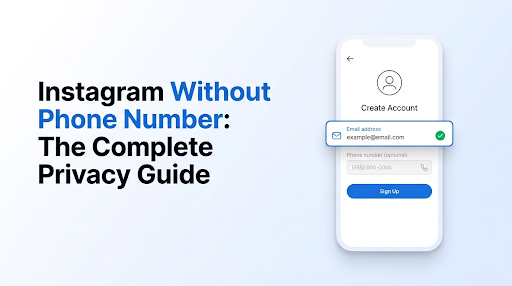
Instagram needs a phone number or an email, not both. Sign up with email, remove a saved number, and control who finds you by phone.