Amazon lets most shoppers register with an email address, so a phone number is not the only way to sign up. The right path depends on the account type: everyday shopping, a second account, or selling.
Key takeaways
An Amazon buyer account can register on email verification alone.
The method depends on the use case: shopping, a second account, or selling.
Free shared numbers carry real risks to privacy and account access.
Why does Amazon ask for a phone number?
Amazon asks for a phone number to confirm identity, deliver verification codes, and restore access, and the rule runs stricter for sellers than for shoppers. A buyer account treats the number as a security and recovery option. Sellers verify the number before approval. The published two-step verification and recovery setup documents the number's role.
Amazon requests a phone number for four reasons:
Fraud prevention: one verified number per account deters bulk fake signups.
Two-step verification: a six-digit code by SMS or voice call as a second sign-in factor.
Account recovery: a number on file restores access when you lose your password.
Seller verification: Amazon Seller registration checks a number by text or call before approval.
Can you create an Amazon account without a phone number?
Yes. You can create an Amazon buyer account without a personal phone number, because the signup sends a one-time code to your email address to confirm it. That email arrives automatically after you submit the form, and confirming the address activates the account. The email path keeps your personal number private, though Amazon may ask for a number later at checkout.
Amazon's public terms do not say whether a virtual number counts for personal signup, so read the current Conditions of Use first. Several accounts raise a separate compliance question, so check its help first, since recycled or incomplete details can trigger a suspension.
Methods to open an Amazon account without a phone number
Four routes finish Amazon registration without your personal number: a virtual number, a free public number, Google Voice, or a secondary SIM. Each route still has to catch the same verification code.
Virtual number services, such as SMSFAST, catch Amazon's verification code online for well under a dollar per number.
Free public or temporary numbers share one public inbox that anyone can open at no cost.
Google Voice hands you a US number for calls and texts, though it needs an existing US number to register.
A secondary SIM card holds a spare mobile line, which keeps your main number off the account.
Match the method to how long you plan to keep the account.
Benefits of a temporary or virtual number for Amazon
A virtual number for Amazon keeps your personal number private, reaches country-specific marketplaces, and gives you a free or paid tier to match the task.
Privacy: your personal number stays off Amazon's record while the account still clears verification.
Global access: a country-specific number matches an Amazon marketplace in another region, such as amazon.de or amazon.co.jp.
Cost control: free public numbers suit one-time signups, while paid virtual numbers add reliability for accounts you keep.
Multiple accounts can conflict with Amazon's account policies, so confirm the current terms before you treat that as a benefit. For the wider picture, read what a virtual phone number actually does.
How to create an Amazon account without a phone number (step by step)
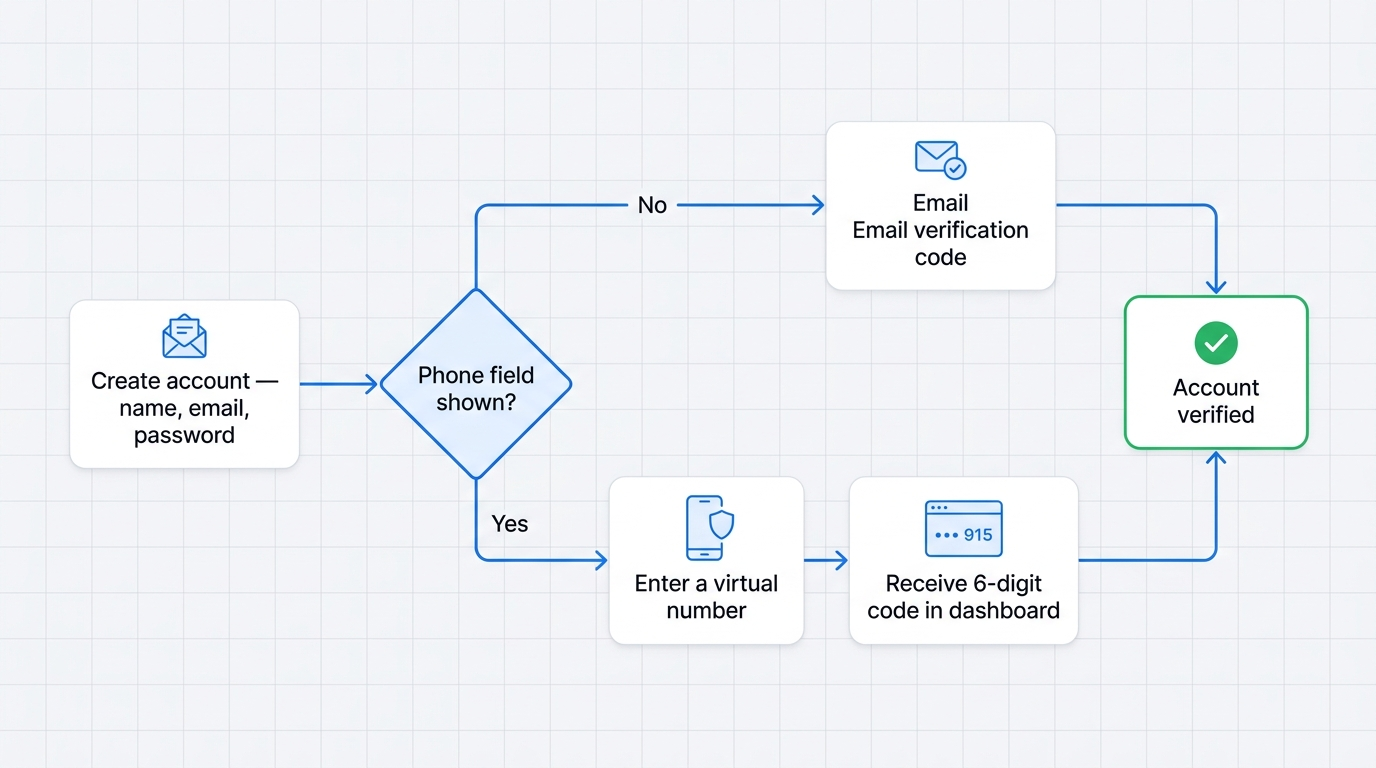
The steps below outline one documented path to register without a personal number. Amazon runs a separate signup flow for each marketplace, so the experience shifts by country: some regions finish on email verification alone, while others still show a phone field before the account opens.
A virtual number works at that field only when the service receives real inbound SMS, not a call-only line or an app-generated code. Pick a provider on that basis, then confirm the number's country matches the store you plan to use.
Choosing the right temporary number provider
Score a number provider on four checks: delivery track record, free versus paid tier, code arrival speed, and country coverage. A paid, mobile-tagged number tends to clear larger Amazon marketplaces more reliably than a free shared one, though reliability claims often come from provider marketing rather than measured data. Match the number's country to the store you want.
Completing Amazon's signup form
Follow Amazon's registration page in order, then hand the code field to your chosen number.
Open Amazon's Create account page and enter your name, email address, and a password.
Submit the form so Amazon emails a verification code to confirm the address.
Enter the emailed code, or move to the phone field where a regional flow asks for one.
Paste a virtual number from a provider such as SMSFAST into the phone field.
Request the code and read it in your provider dashboard, usually within a minute.
Enter the code and finish account setup.
Match the number's country to the marketplace, such as a +1 number for amazon.com, since a local number tends to deliver more reliably.
Buy number for
service
Available
numbers:
pcs
service
There are no numbers
Comparing virtual and temporary number options for Amazon
A virtual number suits accounts you keep, a free public number suits one-time signups, and a secondary SIM suits anyone who already owns a spare line.
Free public pages like Quackr.io cost nothing, but a shared inbox and recycled ranges cut their reliability on Amazon. A paid virtual number trades a small fee for a cleaner, private inbox, without the cost of a second SIM card. Reliability in the table reflects number type, not a measured success rate; results vary by number and carrier.
Premium options for serious or long-term Amazon users
For sellers or long-held accounts, a dedicated paid number holds up better than a free shared one, because fewer people touch the same inbox. SMSFAST long-term rental keeps one number between 1 day and 1 year. You cannot cancel a long-term rental after purchase, and cancellation is coming soon.
Providers advertise higher delivery rates for dedicated numbers than for free shared pools, though those figures come from provider marketing rather than independent measurement. A virtual number clears only the SMS step; it does not cover Amazon's seller identity or business verification.
Common problems and fixes when creating an Amazon account without a phone number
When an Amazon code stalls, the cause is usually a slow inbox, a number read as non-mobile, or a blocked signup attempt. Larger marketplaces decline some virtual ranges, and classification runs through line-type lookups rather than a public blacklist.
Wait sixty seconds, then request the code again before you change anything.
Switch from SMS to the voice-call option where the flow offers it.
Try a different number from a mobile-tagged range if that one fails.
Move to a paid dedicated number for a steadier inbox on larger stores.
A paid number often helps, though no documentation confirms it clears every rejection. Read more on temporary numbers before you register.
Risks and limitations to consider
Three risks matter most with a non-personal number: a possible account block, shared-number exposure, and lost access if the number retires. No public Amazon policy bans every temporary number outright, so the block risk rests on service guidance rather than a stated rule.
Account block: Amazon can suspend accounts with incomplete or recycled details that resemble fraud-driven signups, so weigh this before shared numbers.
Shared-number exposure: a free public number lets other users read the same codes, which puts your signup at risk.
Lost recovery: if Amazon later asks you to re-verify and the temporary number is gone, recovery turns difficult.
The recovery risk bites hardest over time: a lapsed number can lock you out when a sign-in next asks for a code.
How to log into Amazon without a phone number (for existing accounts)
Account recovery differs from signup: you already hold an account and lost the registered number. Amazon's Two-Step Verification Account Recovery restores access by verifying your identity with a government ID when no backup method works.
First, try to sign in with a working backup method or from a device you have used before.
If that fails, open Two-Step Verification Account Recovery from the sign-in screen.
Upload a photo of a government-issued ID, with your name, address, and issuing authority visible.
Wait while Amazon reviews the document, which takes 1 to 2 days.
Sign in with your password once Amazon emails you that it disabled two-step verification, then set two-step verification up again.
A working backup method skips the ID step: a second phone number by text or voice call, or an authenticator app, signs you in directly. Amazon issues no printed backup codes, so once the number and any backup are gone, the government-ID review is the only route, and support cannot shorten the wait.
Conclusion: recommended approach by use case
Your account type decides the method. A private everyday account verifies on email alone wherever Amazon skips the phone field. Sellers need a dedicated paid number, because seller registration checks a working phone by text or call.
One-time signups can use a reputable free number, once you accept the shared-inbox risk. For an account you keep, the dependable route is a private virtual number that still receives the code.
$0.25 Gift!
Subscribe to our Telegram channel and receive $0.25 on your balance.
Frequently Asked Questions
Can I create an Amazon account without adding a phone number?
Yes. Amazon verifies a new buyer account by sending a one-time code to your email, so a phone number stays optional at signup. A Seller account still needs phone verification by text or call before approval. You can add a number later for two-step verification and recovery, but it stays optional.
How to create an Amazon account with email only?
Open Amazon's Create account page, enter your name, email, and password, then submit. It emails a one-time code; enter it to finish. The emailed code is single-use and expires within minutes. Email-only signup depends on region, since some flows still prompt for a phone number.
How to skip phone number verification on Amazon?
Use the email verification path, which finishes a buyer account without a phone number. Where a flow still asks for one, a virtual number receives the verification code online. Amazon Seller registration offers no phone-free route, because it checks a number by text or call.
Why is Amazon forcing me to use a phone number?
Amazon uses a phone number for security verification, two-step verification, and account recovery. For individual shopping, a number is usually optional and tied to orders rather than signup. Seller accounts make the number mandatory, verified before approval by text or call.
Is a mobile number mandatory for an Amazon account?
Not always. A mobile number is not mandatory for an individual Amazon buyer account, which can verify by email. Seller accounts need a mobile or landline number, verified by SMS or a call. The email path keeps your personal number private while the account clears verification.
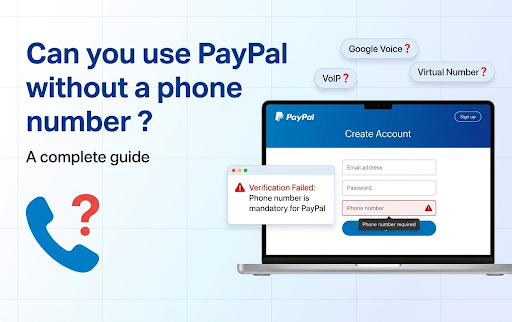
PayPal lists a phone number as mandatory for Personal accounts. Compare Google Voice, SMS verification services and email-first sign-up, with costs and risks.