A virtual phone number is a business number that works over the internet. It needs no SIM card (the chip that ties a number to one phone) and no desk hardware. You set one up in five steps, from picking a provider to connecting your tools.
The Federal Communications Commission defines VoIP as calling carried over a broadband connection. This guide covers the five steps, the real costs, and the features that matter for remote teams.
What is a virtual phone number?
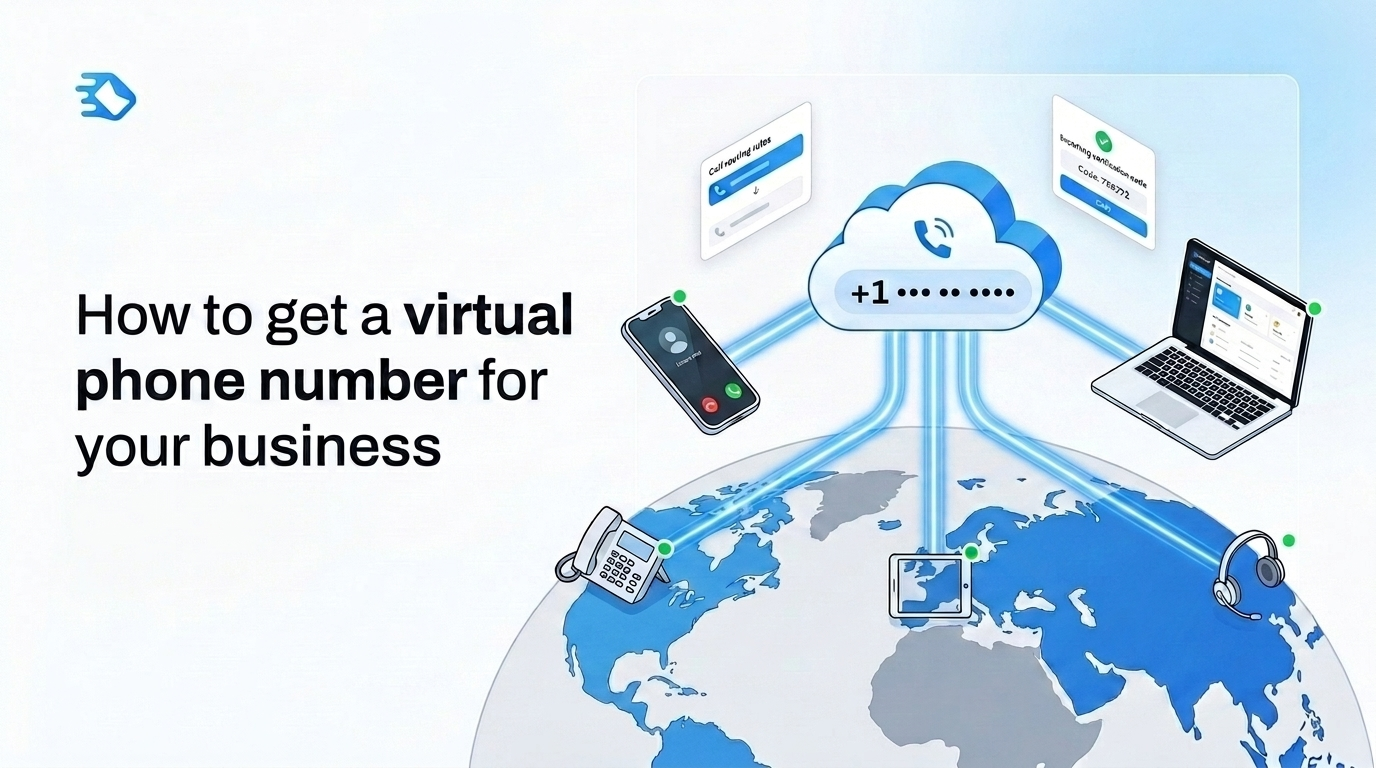
A virtual phone number is a cloud-based number that routes calls, voicemail, and text over the internet. It does not depend on a SIM card or a landline. It works on any device with a connection.
Think of it like streaming compared with a DVD. The same content arrives. The delivery just runs over the internet. The FCC confirms VoIP calls work from a computer, a VoIP phone, or a regular phone with an adapter.
A virtual number lets a team accept incoming messages and get verification codes. It also places outbound calls from any location.
What is a VoIP phone system?
A VoIP phone system turns voice into data packets and sends them over broadband. It commonly uses the Session Initiation Protocol (SIP), the standard that sets up, modifies, and ends internet calls. Every virtual number runs on a VoIP system.
The system supplies core functions such as call forwarding. Call forwarding redirects an incoming call to a mobile, landline, or voicemail. A VoIP system also removes the need for exchange hardware. Virtual numbers come in several types, covered next.
Types of virtual phone numbers
Virtual phone numbers come in five common types. Buyers pick a type based on the audience the number serves.
Mobile virtual numbers lift answer rates for SMS verification and outreach — browse available countries to find local mobile prefixes.
Local or geographic numbers carry a city area code. They signal a regional presence to local callers.
Toll-free numbers (800, 888, 877) cost callers nothing in North America. They suit national support lines.
National numbers use a country-wide prefix. They fit brands that want one number per country.
Mobile virtual numbers show a mobile prefix. They lift answer rates for SMS verification and outreach.
Vanity numbers spell a word or brand term. They strengthen recall for marketing campaigns.
Vanity numbers work as a subcategory of toll-free or local numbers.
Virtual phone number vs. traditional phone line
Traditional phone lines tie service to one address and fixed hardware. A virtual phone number routes over the internet to any device. The difference matters most for teams moving to remote or hybrid work.
Traditional lines still fit a few cases, such as elevator emergency lines that need a fixed connection. They also run on PBX hardware, the on-site box that powers an office phone system.
For most teams, the virtual model wins on setup and flexibility. Businesses save around 40% to 75% on phone costs by switching to VoIP.
You get a virtual phone number in five steps. Define your needs, choose a provider, select a number type, configure the call flow, then integrate your tools. Steps 1 to 3 take under 30 minutes. Steps 4 and 5 depend on your tech stack but rarely take more than half a day.
Step 1: Define your business communication needs
Defining your needs first saves hours later. A business telephone system combines call routing, conferencing, and CRM integration. Match the plan to your team size, your callers, and the features you use.
Score two features before any demo: call forwarding and interactive voice response. Ask whether every team member needs mobile access to the same number. Check whether the plan supports SMS, WhatsApp, and RCS (an upgraded text message format), since this varies by provider.
For a single verification code or a second account, SMSFAST issues a virtual number for short-term activation. It needs no physical SIM card.
Answer these five questions before you compare providers:
How many team members need access to the number?
Are your customers local, national, or international?
Which tools already sit in your stack?
Do you need AI features such as call transcription?
What is your approximate monthly call volume?
Step 2: Choose a virtual phone number provider
Score six criteria when you compare providers. Look at native CRM integrations, international coverage, AI features, the uptime SLA, compliance, and pricing. CRM means customer relationship management software. An SLA is the provider's guaranteed uptime.
Google Voice fits solo users. Vonage and RingCentral are UCaaS platforms (unified communications as a service) for business and enterprise teams. RingCentral publishes a 99.999% uptime SLA. Vonage guarantees 99.99% platform availability, with tiers from $19.99 per user per month.
Two rules apply in regulated sectors. GDPR covers EU data, and HIPAA covers US healthcare. RingCentral holds HITRUST CSF certification and SOC 2+ HIPAA reports, with ISO 27001 controls for GDPR. Test two or three providers on free trials before you commit.
Step 3: Select your number type and area code
Pick a number type and area code based on your audience and target regions. A local area code builds regional trust. A toll-free number signals a national brand.
Number porting lets you move an existing number to a new provider, and most providers support it. Simple single-line ports often finish within a few business days. Complex multi-line or toll-free ports can take 2 to 4 weeks. The FCC requires interconnected VoIP providers to support number portability.
Timelines vary by carrier and country. Some countries, including Germany, the UK, and Australia, ask for proof of a local address first.
Step 4: Set up and configure your call flow
Teams rush call flow setup most often, which causes misrouted calls. Interactive voice response routes a caller through a menu to the right person.
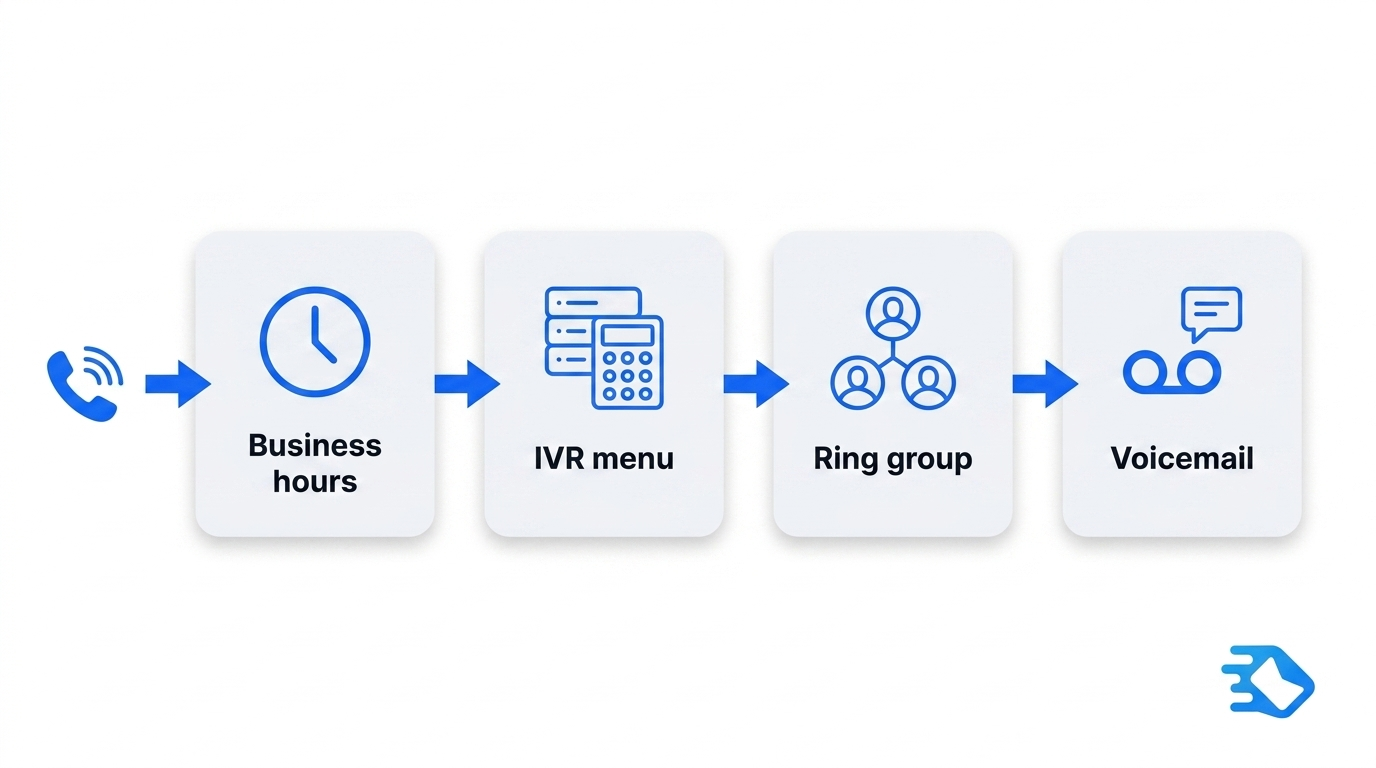
Build the call flow as a four-task checklist:
Set your business hours.
Build the IVR or auto-attendant.
Create ring groups for shared lines.
Turn on recording and transcription.
Record a professional greeting before you launch. The greeting shapes the caller's first impression.
Step 5: Integrate with your CRM, helpdesk, and business apps
Integration connects the number to the tools where work happens. It removes manual data entry.
CRM integration logs each call against the right contact. With a helpdesk connector, an inbound call becomes a support ticket. Productivity apps push call alerts into chat. SMS alerts route into the same channel through a text messaging integration.
Pick native connectors over Zapier-only links. Native integrations break less often.
How to compare virtual phone number providers
The table below scores six providers on the criteria business teams care about. SMSFAST suits fast verification and second accounts, while RingCentral and Vonage suit full business phone systems.
Key features to look for in a virtual phone number service
Confirm these features before you choose a provider.
Call forwarding and ring groups
Call forwarding sends an incoming call to a mobile, landline, or voicemail. Rules can route calls by time of day.
A solo operator can forward calls to one mobile. A team of five or more needs ring groups.
IVR and auto-attendant
Interactive voice response routes callers through a menu, often using speech recognition. A basic auto-attendant plays one greeting and one set of options. An IVR can integrate with a CRM to log each call. Even a single-level IVR cuts misrouted calls and improves the caller experience.
Voicemail transcription
Voicemail transcription turns a spoken message into searchable text. It saves time at high call volume. Teams read transcripts faster than they replay audio.
Call recording and AI transcription
Call recording stores an audio archive. AI transcription produces searchable text with summaries. The two serve different jobs: recording for review, transcription for fast retrieval.
Check consent rules in your region before you record. GDPR and HIPAA set requirements for regulated data.
Business text messaging
SMS-capable numbers open RCS and WhatsApp messaging. A team can send appointment reminders and accept incoming codes on one number. Multi-factor authentication is one more use case for the same number — see how to verify a Telegram account without a personal number for a step-by-step example.
CRM and helpdesk integrations
Native CRM integration logs every call against a contact. It cuts time spent on manual entry. A business telephone system gains the most value when calls flow straight into the CRM. Providers with Zapier-only integrations are less reliable than native connectors.
Analytics and reporting
Raw call logs are not the same as useful analytics. Confirm the dashboards are practical, not just data exports. Good reporting shows call volume, handle time, and missed-call rate in one view.
Benefits of virtual phone numbers for business teams
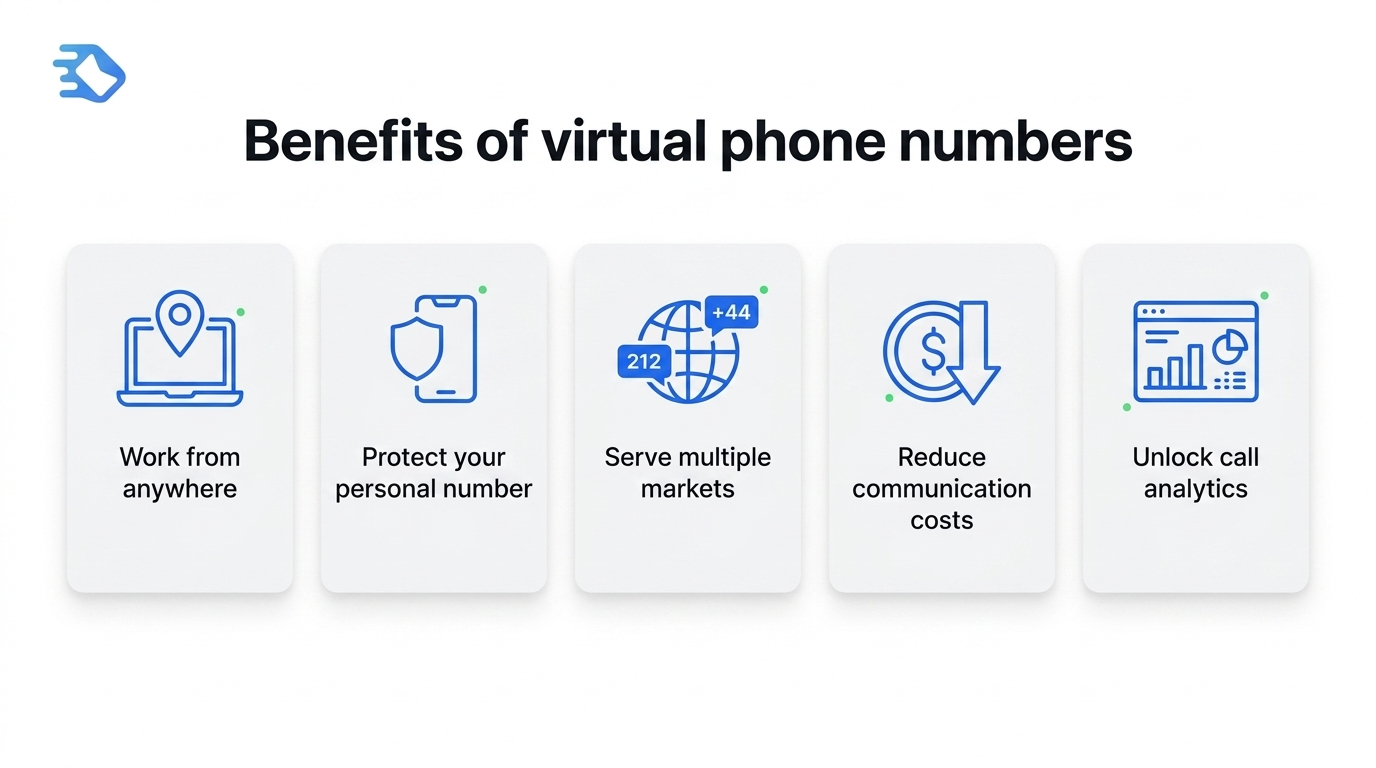
Five benefits show up across teams of every size.
Work from anywhere, without losing your business number
A virtual number belongs to the business, not to one device. It works anywhere with an internet connection. A team member answers the same line from a laptop, desk phone, or mobile app.
Protect your personal number
A virtual number lets staff use their own devices without showing personal numbers. This supports a bring-your-own-device setup. It protects privacy and cuts hardware spend at once.
Serve multiple markets from one platform
One team can hold local numbers in several markets. A US team can run a 212 New York number and a +44 London number. Both route to the same agents.
Customers see a familiar local code and answer more often. Each country's telephone numbering plan sets the available prefixes.
Reduce communication costs significantly
A virtual number removes PBX hardware and on-site maintenance. Google Voice business plans start at $10 per user per month. RingCentral plans start at $20 per user per month on annual billing. A legacy PBX line costs more than either.
Costs can still climb through premium integrations and international call bundles.
Access data and insights that traditional phones cannot provide
A virtual number surfaces call data a traditional telephone number cannot. You see volume, handle time, and missed-call rate in one dashboard. Managers use this data to staff peak hours and cut missed calls.
How much does a virtual phone number cost?
Virtual phone number pricing splits into three tiers. Free options carry trade-offs worth knowing first.
Free: Google Voice runs $10 to $30 per user per month across Starter, Standard, and Premier plans (verify current pricing on Google's site before purchase).
Business: Google Voice runs $10 to $30 per user per month across Starter, Standard, and Premier. Standard and Premier require a separate Google Workspace plan. RingCentral runs $20 to $45, and Vonage runs $19.99 to $39.99 per user per month on monthly billing, or about $13.99 to $27.99 with an annual plan.
Enterprise: Top tiers add AI transcription and advanced routing.
RingCentral offers a 14-day free trial. Test a plan before you pay.
The monthly bill scales with the number of users and the add-ons. Annual billing usually costs less than monthly billing.
If you only need a number to get a verification code, try SMSFAST with the free $0.25 bonus and no commitment.
Start using a virtual phone number today
Getting a virtual phone number is no longer a complex IT project. The five steps cover your needs, the provider, the number type, the call flow, and integrations.
The FCC treats VoIP as a standard, regulated calling technology. Providers such as RingCentral publish a 99.999% uptime SLA. Start with a free trial from a provider that offers native CRM integrations and AI features.
Buy number for
service
Available
numbers:
pcs
service
There are no numbers
Frequently Asked Questions
What are the steps to get a virtual phone number?
Getting a virtual phone number takes five steps. A business defines its needs and chooses a provider. The team then selects a number type, configures the call flow, and connects its tools. Steps 1 to 3 take under 30 minutes. Setup time depends on the tech stack.
How much does a virtual number cost?
Virtual number pricing runs from free to enterprise rates. Google Voice is free for personal US use and $10 to $30 per user per month for business. RingCentral runs $20 to $45 per user per month. International numbers and AI features add to the base cost.
What is the difference between a virtual number and a real number?
A traditional number ties to physical hardware, such as a SIM card or landline. A virtual phone number runs over the internet through VoIP. Both make and accept calls. The difference is the infrastructure, the flexibility, and the cost.
Does a virtual phone number work?
Yes. Virtual phone numbers handle calls, texts, and voicemail over VoIP. Call quality depends on the internet connection and the provider's uptime SLA. RingCentral publishes a 99.999% uptime SLA. For standard business calling, virtual numbers match traditional lines.
What are the benefits of a virtual phone number?
The main benefits are location independence and personal number privacy. Businesses also gain a multi-market presence, around 40% to 75% lower phone costs than legacy systems, and call analytics older lines lack. For remote teams, a virtual number removes the office hardware entirely.
Is it legal to use a virtual phone number?
Yes. Virtual phone numbers are legal in most countries under standard telecom rules. Regulated sectors must meet extra requirements, such as HIPAA in US healthcare or GDPR in the EU. Confirm the provider holds the right certifications before activation.
Are virtual phone numbers secure?
Reputable providers use TLS encryption for calls and SRTP for media streams. Both methods scramble call data so outsiders cannot read it. RingCentral holds HITRUST CSF certification and SOC 2+ HIPAA reports. Security varies by provider, so check encryption, certifications, and data retention first.
Is a free virtual number really free?
Free tiers exist. Google Voice gives a no-cost number for personal US use. But it has no toll-free numbers, limited international calling, and no CRM integrations. For teams that need reliability and integrations, a paid plan is the real baseline.
Telegram's "Too many attempts" error is a temporary rate limit, not a ban. See exactly how long it lasts, the fastest fix, and how to stop it from happening again.
WhatsApp account banned? See the exact appeal steps, real recovery timelines by ban type, and how to safely register a new number without triggering another ban.